Virtual Team Building Events: What Happens, How Long They Run, and What They Cost
What happens at virtual team building events: a minute-by-minute run of a 60-minute Zoom session, the skills each game trains, group size, timing, and cost.
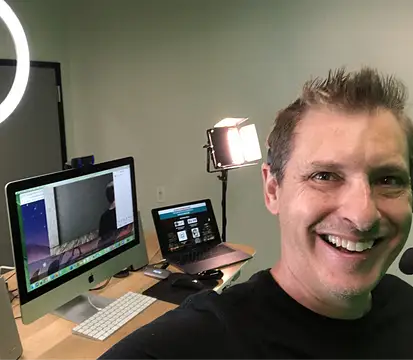 By Scott Topper · September 30, 2026 · 6 min read
Most pages about virtual team building events tell you they are fun and engaging and then stop. If you are the person booking one, you need more than that: what happens after everyone clicks the Zoom link, how long it takes out of the day, what it costs for your headcount, and what you have to do before it starts.
You should also know what the hour is for. The best virtual team building events are improv without the label: an hour of practicing listening, speaking up, building on a colleague’s idea, and thinking on your feet, in a setting where nobody is graded. This is the plain version, based on running these sessions every week.
What a Virtual Team Building Event Is
A virtual team building event is a scheduled block, usually 45 to 90 minutes, where a remote or hybrid team does something together on a video call that is not work. The good ones are built around participation, not presentation. Everyone plays, nobody sits through a slideshow, and the team leaves having practiced the communication habits that make meetings work, plus a few shared jokes they will still reference in next week’s standup.
Virtual corporate events cover a wider range: all-hands meetings, award shows, product launches, holiday parties. Team building is the slice of that where the whole point is for people to interact with each other.
The Three Formats
Almost every option you will find falls into one of three buckets. They are different products, so compare within a bucket, not across them.
1. Live-hosted. A professional host runs the whole session on your Zoom call. They explain each game, call on people by name, manage the energy, and keep the clock. You show up like everyone else.
2. Self-guided. You get a kit, a slide deck, or a set of instructions, and someone on your team runs it. Cheaper, but the success of the hour depends on how comfortable your facilitator is in front of a room.
3. App or platform-based. Participants log into a third-party site or download something, and the software drives the activity. Useful for scored, screen-based activities. Less useful for getting people to actually talk to each other.
I wrote a longer breakdown of the tradeoffs in live host vs. app-based team building. The short version: if your team is quiet, camera-shy, or burned out on screens, the format with a person steering matters more than the activity itself.
What Happens, Minute by Minute
Here is how a 60-minute live-hosted session of the Virtual Office Shenanigans Game runs. Other hosts will differ in the details, but this is the shape to look for.
Minutes 0 to 3: Arrival. People trickle in. I greet them by name as they join so the first thing they hear is their own name, not silence. Nobody is asked to introduce themselves.
Minutes 3 to 10: Vocal Warm-Up. Exaggerated sounds and tongue twisters, all together. It is deliberately silly, and because everyone does it at once, nobody is on the spot. By minute ten, every microphone has been used at least once. Trains: speaking up, with the whole group as cover.
Minutes 10 to 20: Theme Song Silent Disco. A famous theme song plays and the team dances along on camera. No skill needed. This is the round where the cameras that were off at the start usually come on. Trains: committing without overthinking.
Minutes 20 to 35: Super Hero Copy Cat and Whoosh, Bang, Pow. Poses, gestures, and sound effects passed around the call. These games require watching other squares, which is the whole trick. People stop looking at their inbox because they might be next. Trains: listening and copying precisely before adding your own twist.
Minutes 35 to 50: Slow Motion Fast Ball. An invisible ball thrown in dramatic slow motion between named people. It gets louder as more balls are added. This is usually the biggest laugh of the hour. Trains: reading the room and adapting as the game speeds up.
Minutes 50 to 60: Final round and wrap. One last high-energy game that changes with the season, then we end on time.
No one needs to prepare, download anything, or be good at anything. That is the design goal. Each game isolates one skill your team uses in every meeting, and the laughing is what makes people willing to practice it.
How Long Virtual Team Building Events Should Run
Sixty minutes is the sweet spot for most teams. Thirty minutes is too short to get past the warm-up, and anything over 75 minutes on Zoom starts fighting fatigue no matter how good the content is.
For timing within the week, in my experience mid-morning or early afternoon Tuesday through Thursday gets the best attendance. Avoid the last hour of Friday unless the event is explicitly the end of the week and people know they can log off after. If your team spans time zones, I have a checklist for picking a slot in how to plan a virtual team event in under an hour.
Group Size
Live-hosted events work best between 10 and 50 people. Under 10, a hosted game can feel like a spotlight. Over 50, the host can no longer call on everyone by name, and the quiet people disappear into the gallery.
If you have 80 people, run two sessions rather than one big one. You will get more participation from each person, which is the point of the budget.
What Virtual Team Building Events Cost
Pricing in this category ranges from free kits to several thousand dollars. Here is the math for the format I run, so you have a concrete reference point. The base price is $300 for up to 10 people, and each additional person is $25.
| Group size | Total | Per person |
|---|---|---|
| 10 people | $300 | $30 |
| 25 people | $675 | $27 |
| 50 people | $1,300 | $26 |
When you compare vendors, calculate the per-person number for your real attendance, not the headcount on the invite. A cheaper self-guided kit is not cheaper if a manager spends three hours prepping it. The full breakdown is on the pricing page.
How to Book and What to Send Attendees
Booking should take about five minutes. Pick a date and time online and you are done. Sessions start on weekdays between 7am and 7pm Pacific.
Then send your team one short message. That is the only prep:
- The time, in their time zone. List two or three zones if your team is spread out.
- “Cameras on if you can.” Say it once, lightly. The host handles the rest.
- “No prep, nothing to download.” People relax when they know there is no homework.
- “It is 60 minutes and it ends on time.” Busy people show up to things that respect the calendar.
Skip the “mandatory fun” language. Framing it as a break, not a requirement, gets better attendance. If you are worried about a quiet group, how to get a shy or camera-off team to participate covers what to say and what the host does about it.
Book a Virtual Team Building Event
If you want a virtual team building event your team will actually talk about afterward, the Virtual Office Shenanigans Game is 60 minutes of live-hosted virtual team building on Zoom, hosted by me, for groups of 10 to 50. It is rated 4.9 from 4,819 reviews, it needs nothing from your people except showing up, and it starts at $300. Choose a date and time, send the invite, and the hard part is done.