How to Run a Communication Workshop: A 60-Minute Agenda and Facilitator Script
How to run a communication workshop for your team: a 60-minute agenda, a facilitator script, six workshop topics to choose from, and what to do afterward.
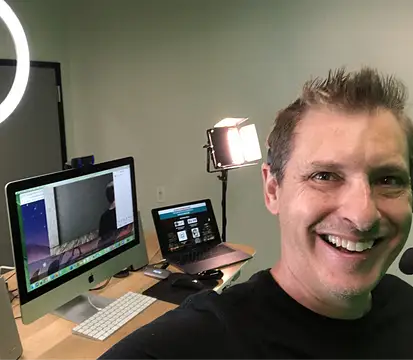 By Scott Topper · November 4, 2026 · 7 min read
A communication workshop is supposed to change how people talk to each other on Monday. Most change nothing, because people spend the hour listening to someone explain communication instead of practicing it.
This guide gives you a 60-minute communication workshop agenda built on practice: short improv exercises, each tied to one workplace skill, with a debrief that connects the game to real meetings. It includes what to say as the facilitator, six topics to choose from, and what to do after the workshop so it sticks. It works on Zoom or in a room, for 6 to 30 people.
Pick One Focus
A workshop that covers everything teaches nothing. Pick the one problem your team feels most, and build the hour around it. Six common choices:
| Topic | The problem it solves |
|---|---|
| Listening | People answer before the question is finished |
| Building on ideas | New ideas get shot down in the first sentence |
| Speaking up | The same few people fill every meeting |
| Clear updates | Status messages ramble and the point gets lost |
| Feedback | People avoid hard conversations or deliver them badly |
| Remote and hybrid meetings | People on video get talked over by people in the room |
The agenda below uses listening and building on ideas, the two most common gaps. Swap in exercises from our list of communication team building activities for other topics.
The 60-Minute Agenda
0:00 to 0:05: Welcome and the one rule Say: “This hour is practice, not a presentation. There are no wrong answers, and nobody is performing alone. We all play at the same time.” Then run a 60-second Vocal Warm-Up: everyone unmutes and says good morning in the most dramatic voice they can. Go first.
0:05 to 0:15: Listening game, One-Word Story The group tells a story one word at a time, in the order you call. Run it twice. Debrief question: “What did you have to do to keep the story going?” You’re listening for an answer like “I had to wait for the word before mine.” Then say: “That’s the skill. In meetings, most of us start our reply halfway through someone’s sentence.”
0:15 to 0:25: Listening game, Last Word, First Word Have a conversation about weekend plans. Each person starts their sentence with the last word the previous person said. Debrief question: “Where in our real meetings do we answer before the question is finished?” Take two or three answers.
0:25 to 0:30: Break Five minutes, cameras optional.
0:30 to 0:40: Building game, Yes, But / Yes, And In groups of four to six (breakout rooms on Zoom), plan an imaginary team offsite. For three minutes every reply starts with “Yes, but.” Then three minutes with “Yes, and.” Debrief question: “Which round produced a better plan? Which one felt better?” Then say: “We’re not saying never criticize. We’re saying build first, judge second, as two separate steps.”
0:40 to 0:50: Apply it to real work Bring a real problem the team is facing, something low stakes like how to make Monday meetings shorter. Run one “Yes, and” round for ideas, then a separate round to pick the best two. This is the moment the workshop turns into work.
0:50 to 0:60: Commit and close Ask each person to name one habit they’ll try this week, in one sentence. Write them down and send them to the group after the workshop. End on time.
Facilitator Tips
- Call names in order. Don’t ask for volunteers. A set order removes the pressure of deciding when to jump in.
- Keep games short. End each one while people are still enjoying it.
- Never single out one person’s performance. Praise the group.
- Play along. If you go first on the silly parts, everyone else relaxes.
- Protect the debrief. The game is the practice. The debrief is where people connect it to their job. Don’t skip it to save time.
If you have quiet people on the team, our guide on how to get a shy team to participate virtually has more techniques.
What to Do After the Workshop
A single workshop fades in about a week unless you reinforce it. Three simple steps:
- Send the commitments within 24 hours, with a one-line reminder of each skill.
- Open the next four team meetings with a three-minute game from the workshop.
- Ask one question at the end of each of those meetings: “Did anyone get interrupted today?” Keep it light.
For a fuller plan, see our guide to communication skills training for employees, which includes a four-week rollout.
Running It Yourself vs. Hiring a Host
Running it yourself works, and the agenda above gives you everything you need. The trade-off is that you are facilitating instead of participating, and some of your team will see it as one more meeting run by a colleague.
A trained host changes the energy. They read the room, adjust when energy drops, include quieter people without putting them on the spot, and explain the skill behind each game with authority. Our comparison of a live host vs. an app covers the difference.
Brent, who booked a session for a tech company, described it this way:
“My company is in the tech industry so we tend to be very “left-brained,” however these improvisational exercises allowed us to utilize our right brain and be creative while listening and reacting to situations on the fly.”
A Hosted Communication Workshop on Zoom
The Virtual Office Shenanigans Game is a 60-minute team building game hosted live on Zoom by Scott Topper. Scott trained at The Groundlings in Hollywood and is a three-time Emmy-nominated FOX-TV kids show host. The session moves through Vocal Warm-Up, Theme Song Silent Disco, Super Hero Copy Cat, Whoosh, Bang, Pow, and Slow Motion Fast Ball, and each game practices listening, building on ideas, speaking up, or thinking on your feet.
Sessions run weekdays with start times from 7am to 7pm Pacific. The price is $300 for up to 10 people, plus $25 per additional person, up to 50 people. Choose a date and time on the session page, or see pricing for details.